
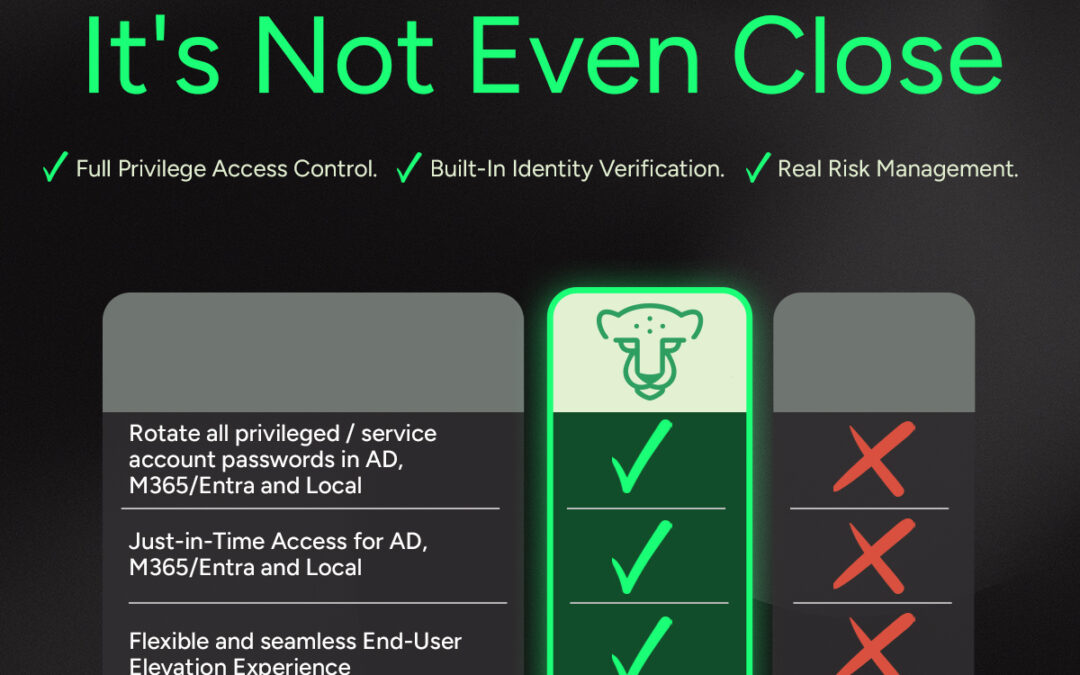
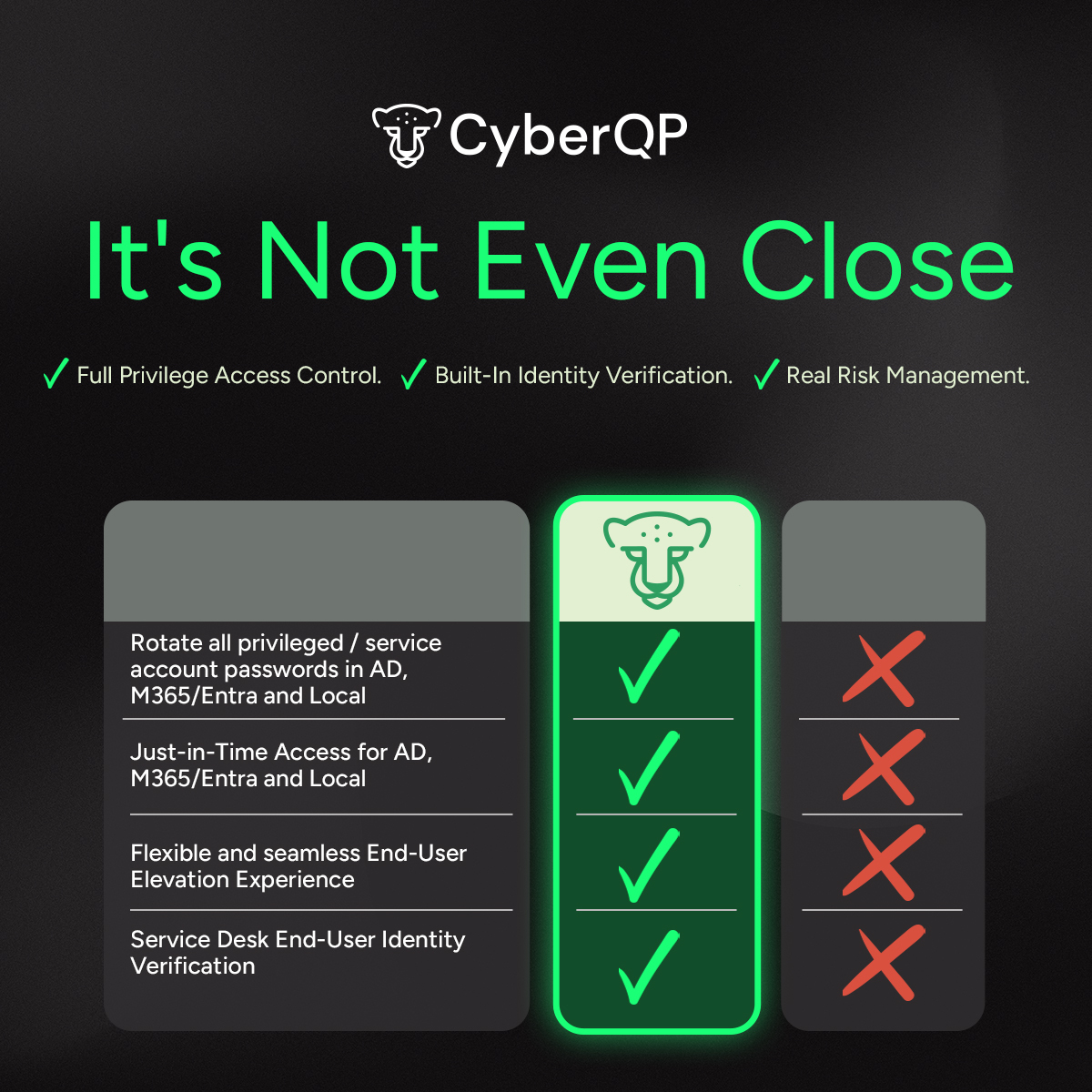
It’s Not Even Close.

It’s Not Even Close.

All-in-One PAM + EUAM Platform Built for MSPs

One Pane, Zero Complexity.

Partner with CyberQP for an all-in-one Privileged Access Management (PAM) and End User Access Management (EUAM)

Slash password-related tickets, enforce least privilege access, and sharpen compliance – all from a single dashboard.
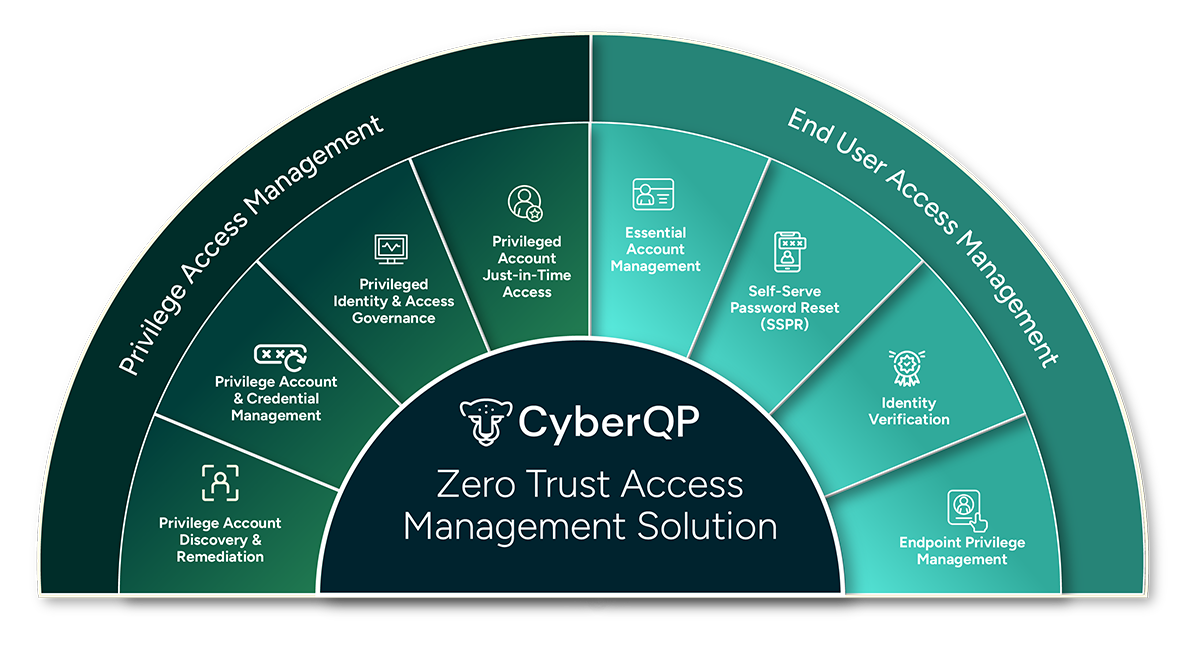
Zero Trust Access Management
CyberQP brings all solutions together in one purpose-built platform, giving IT teams a faster, smarter, and more secure way to manage these critical workflows through one pane of glass. Our platform provides secure, elevated access for both IT Professionals and end-users, along with robust self-service and identity verification capabilities.

Why Access Management Matters

Eliminate All Static Credentials

67% of organizations admit they cannot fully determine if their privileged users are violating policies. Meet Compliance and Cyber Insurance Requirements: CyberQP includes mappings to many identity security controls to compliance frameworks such as NIST 800-53, CIS V8, CMMC 2.0, HIPPA and ISO 27001. Allowing organizations to meet both compliance and Cyber Insurance requirements.

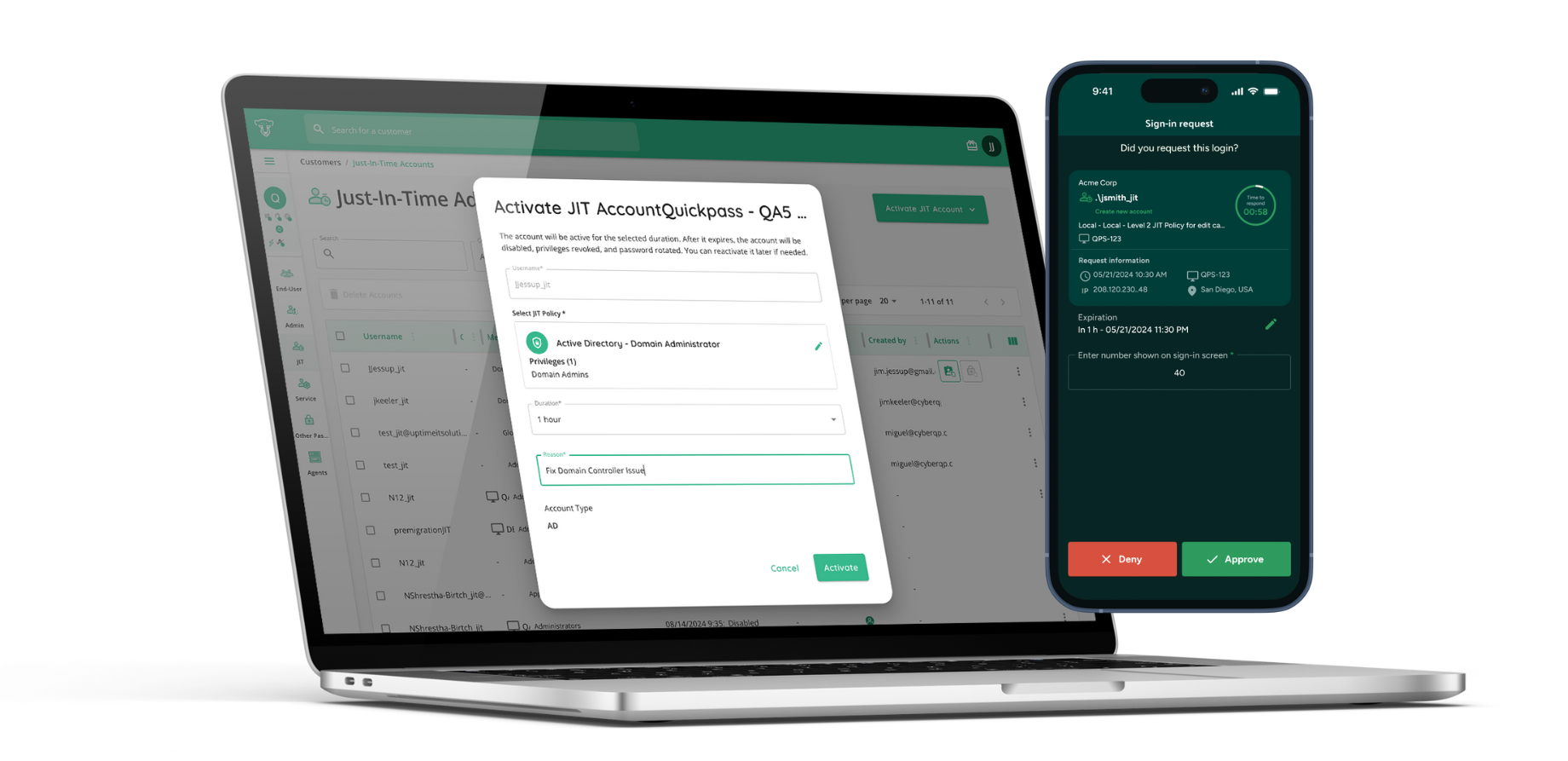
Zero Standing Privilege with Just-in-Time Access

61% of breaches involve lateral movement post-initial compromise. Achieve Zero Standing Privilege: Eliminate persistent admin rights by provisioning Just-in-Time access. Grant only the exact privileges needed, only when they’re needed, minimizing your attack surface and enforcing true least privilege.

Built-In Identity Verification for EUAM

 80% of hacking-related breaches are due to stolen or compromised credentials. Prevent Social Engineering & Impersonation Attacks: Defend IT service desks against social engineering, impersonation, and insider threats that can lead to unauthorized access, data breaches, or privilege escalation. Empower service desk technicians with multiple options to verify end-user identities.

QGuard. Eliminate ALL Static Credentials

Don’t settle for ‘good enough’. Attackers are exploiting static, long-standing service and admin passwords. Rotate your privileged/service accounts in AD, M365/Entra, and Local admins through one easy-to-use dashboard automatically (daily, weekly, monthly, quarterly, or yearly).
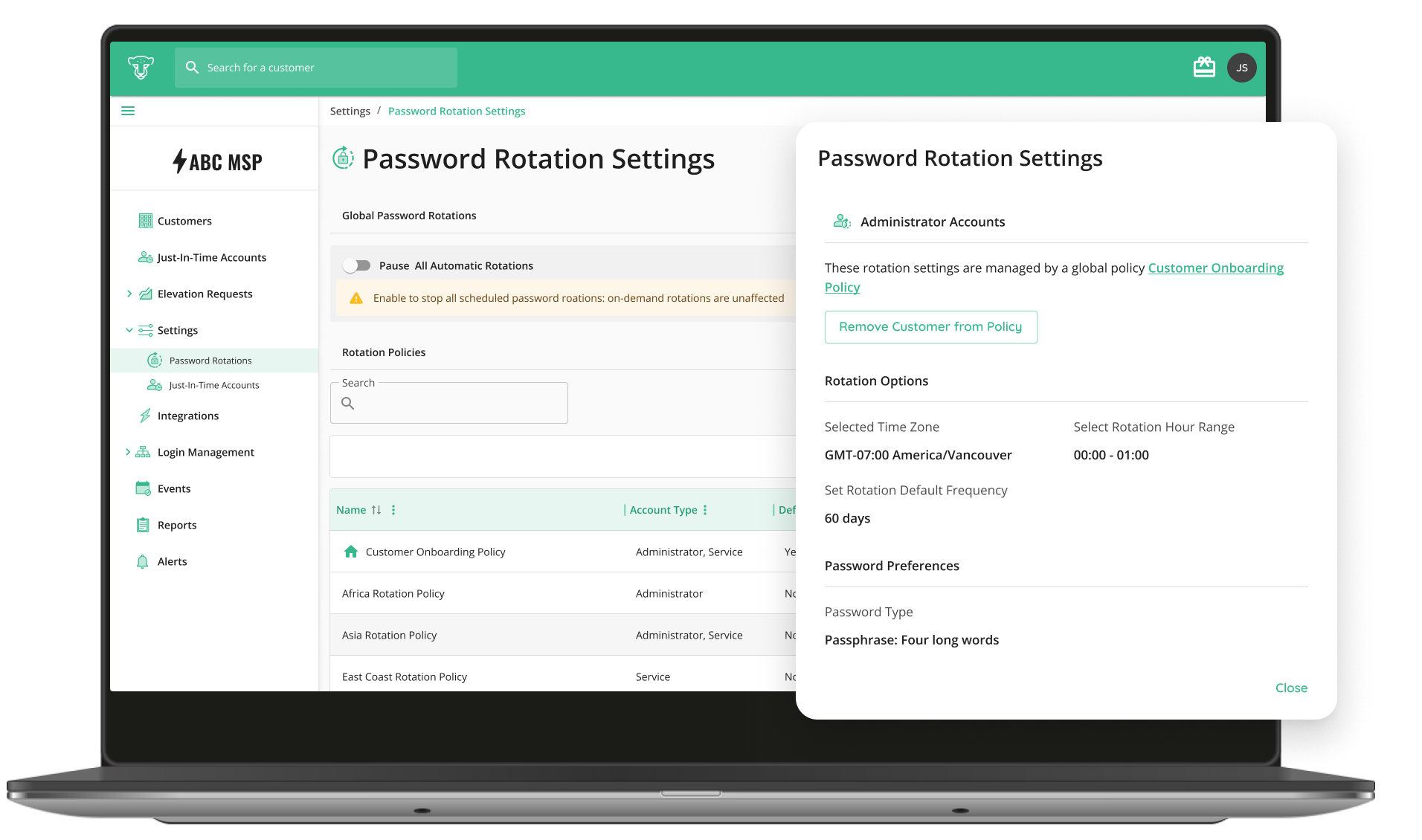
 

Protect Identities. Control Privileges. Empower Users.

CyberQP’s QDesk solution offers your team a necessity that the Fox does not. End-User Access Management to provide controlled temporary admin access for your customers and seamless identity verification to prevent social engineering and impersonation attacks.
 

MSPs Love How Quickly We Simplify Access Management
For us, we got into CyberQP because we wanted password rotation, and we wanted the Just-in-Time (JIT) system. We wanted all of those tools, and CyberQP fit that really well for us.
JR Bareis

CEO, TigerHawk Technologies

CyberQP

(5/5)

The Tool Your Stack Relies On, Not Just Another One In It.

Book Your 30-min Platform Overview Today

    When is Traditional Cybersecurity Not Enough? Protect Layer 8.

    When is Traditional Cybersecurity Not Enough? Protect Layer 8.

    ON-DEMAND webinar

    When is Traditional Cybersecurity Not Enough? Protect Layer 8.

    About this Webinar

    Traditional cybersecurity tools are built to protect networks, endpoints, and data. But what about the humans behind the screens? In this session, we’ll explore how identity focused threats like social engineering and helpdesk impersonation attacks bypass traditional defenses and why protecting Layer 8 (the user) is critical to a Zero Trust strategy.

    Event Details:

    July 10th, 2025

    Location: Virtual/On-Demand

    Meet our Speakers

    michael garrity

    Paul Redding

    SVP of Channel Marketing & Community

    stephen tomecko

    Nick Hilderman

    Director of Information Security and Compliance

    Don't Miss Out!

    CyberQP Turns Stolen Credentials into Dead Ends

    CyberQP Turns Stolen Credentials into Dead Ends

    INFOGRAPHIC

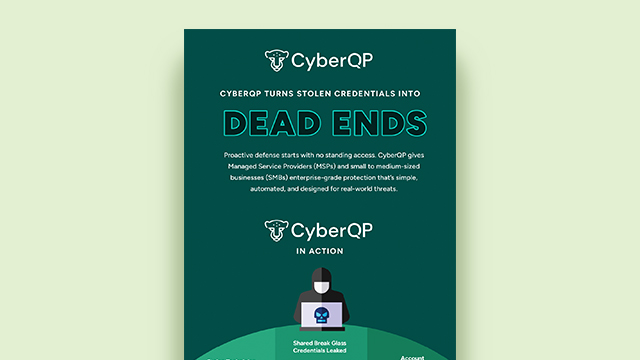
    CyberQP Turns Stolen Credentials Into Dead Ends

    Stolen credentials are one of the easiest ways attackers infiltrate SMBs. CyberQP gives MSPs and IT teams enterprise-grade protection designed for real-world threats.

    How Secure Are You?

    CyberQP provides IT teams and service desks with tools to lock down access and streamline support, without complexity. From privileged account control to secure end-user verification, it’s everything you need to stay ahead.

    Our infographic shows how stolen credentials, shared break glass accounts, and account takeovers became a problem for this MSP, and proves that CyberQP has the solutions to help prevent them.

    Healthcare data breach

    How This MSP Secured Healthcare Clients with CyberQP

    With CyberQP’s Just-in-Time Accounts and Passwordless login for technicians, accounts are disables when not in use. Which means no standing access for your admins.

    CyberQP’s daily password rotations eliminates static credentials and the reuse of passwords, saving you time from manual rotations and securing all of your privileged accounts.

    Just-in-Time Access provides no account to hijack or privileges to exploit, further reducing the attack surface of your privileged accounts.

    Take Proactive Security to the Next Level

    CyberQP

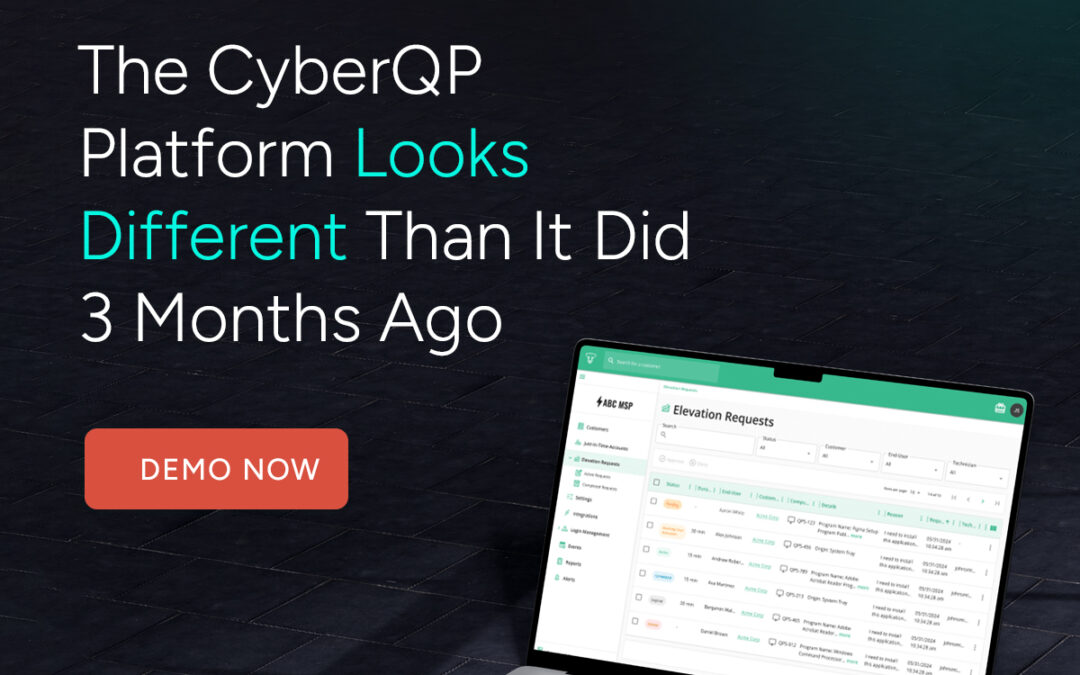
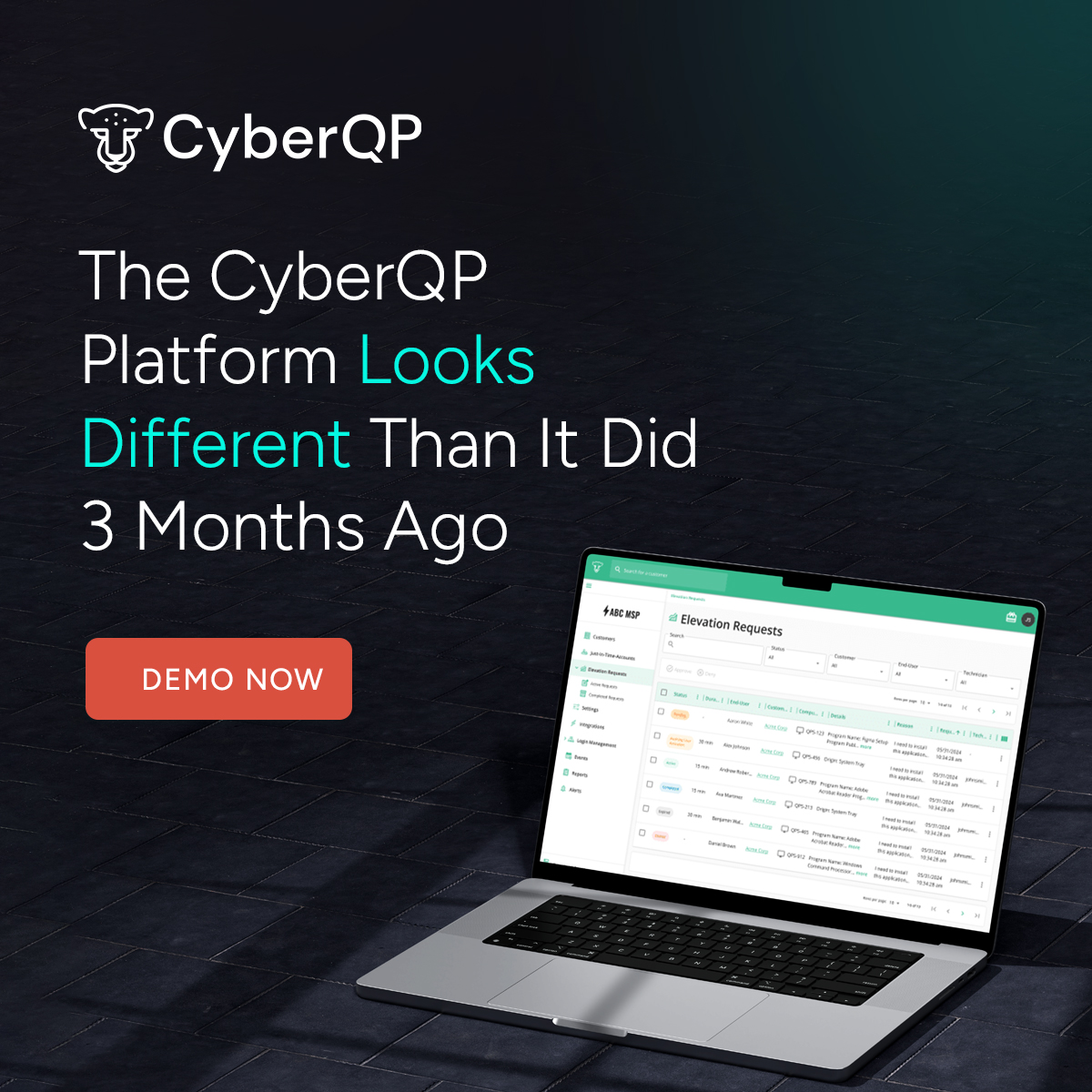
    CyberQP Looks Different Than it Did 3 Months Ago

    CyberQP Looks Different Than it Did 3 Months Ago

    CyberQP Looks Different

    Stronger protection. Smoother workflows. New capabilities built for today’s IT Professionals.

    Evolving for Tomorrow's Threats.

    In just three months, CyberQP has undergone a major transformation driven by our commitment to give IT professionals tools that don’t just keep up, but stay ahead. By expanding our PAM and EUAM capabilities, together we can close the gaps attackers look for.

    What's New?

    QGuard

    Privileged Access Management

    Global Account Import Policies:

    A feature that simplifies a time consuming tasks for IT professionals, managing account import settings across multiple customers. Admins can now configure standardized account import rules once and apply them across all customer tenants.

    Key Features: 

    • Configure import settings once and apply them globally.
    • Manage both end-user and admin accounts.
    • Apply to Active Directory, Microsoft 365, and local directories.

    Read our Product Release blog.

    What's New?

    Audit Mode for Endpoint Privilege Management:

    A powerful addition that allows IT Professionals to confidently move their customers away from standing local admin rights, without disrupting daily operations or user productivity.

    Key Features:

    • Privileged Activity Audit Log: View all privileged programs and processes run by users across all endpoints.
    • Process Details: Get detailed information for each process, with built-in VirusTotal integration to check for malicious programs.
    • Rule Creation: Easily create auto-elevation rules directly from audit events and easily apply them at scale across your customer and user base.

    Read our Product Release blog.

    QDesk

    End-User Access Management

    End User Elevation

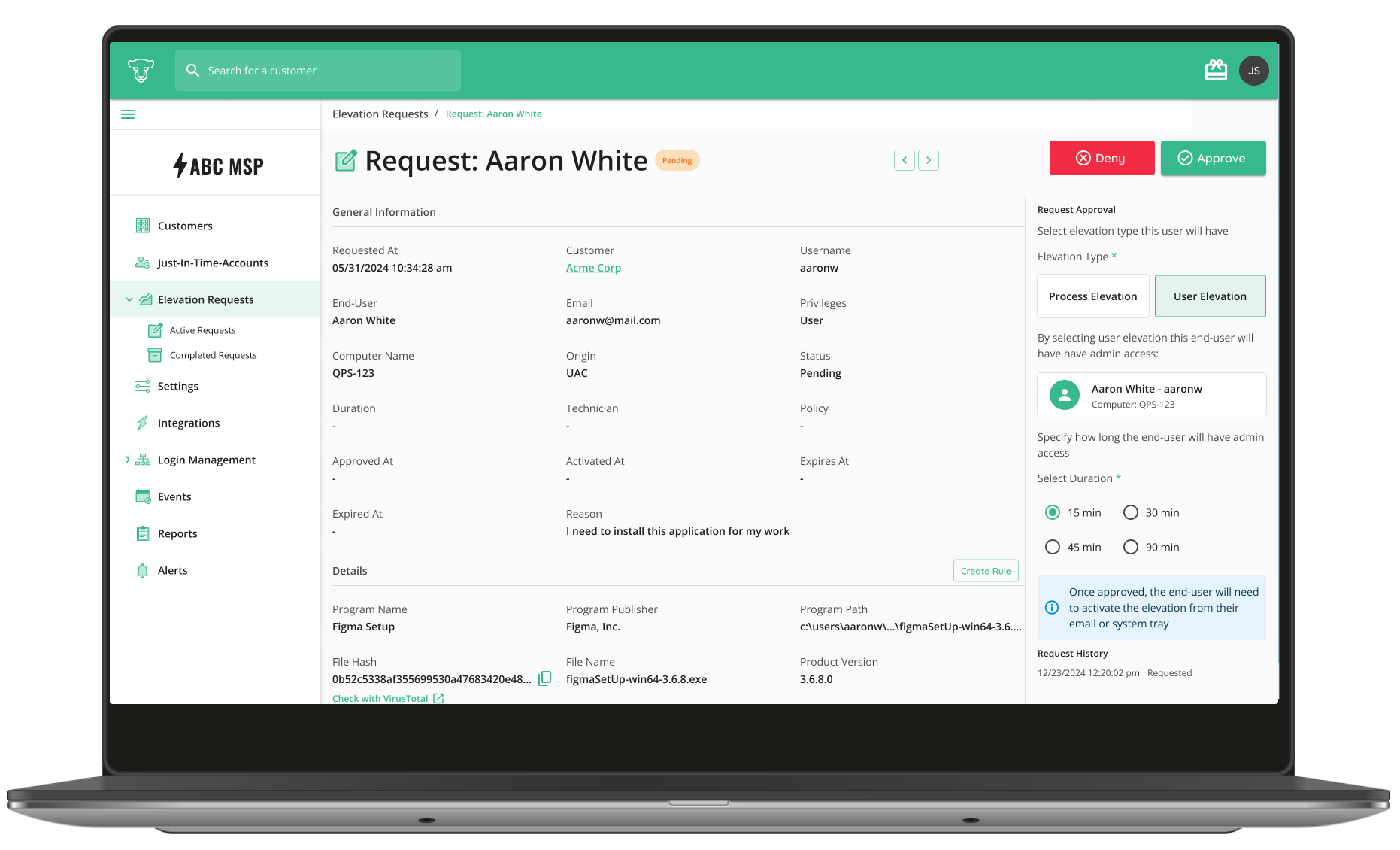
    Simplify Endpoint Privilege Management with Controlled, Temporary Admin Access

    What's New?

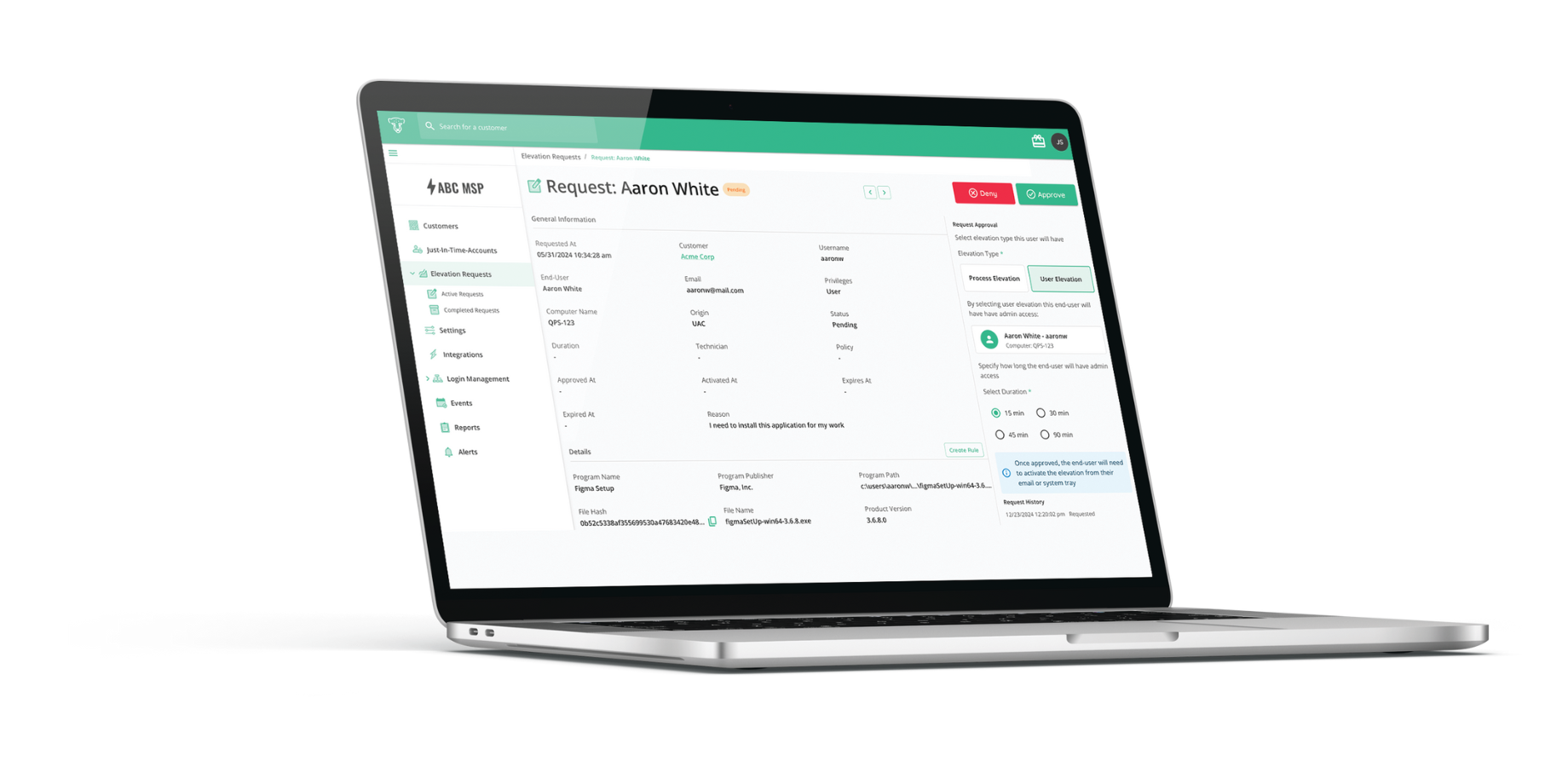
    User Elevation: Grant temporary time-based admin access to power users / on prem IT staff for complex tasks that require user context permissions.

    Process Elevation: Authorize only the process, software installation or system configuration change to enforce least privilege.  

    Rules and Auto-Approval Engine: Create new or save previous on-demand elevation requests as rules so future requests can be automatically approved without technician intervention quickly and securely. 

    Just-in-Time Access: Provide admin access only when needed.

    Zero Standing Privilege: Eliminate always-on admin accounts to reduce attack surfaces. 

    Least Privilege: Ensure users have only the access they need, nothing more.

    Automatic Reversion: Permissions automatically reset to standard after use, minimizing lingering security risks.

    Why IT Professionals Choose Us

    Zero Trust Access Management

    CyberQP brings all solutions together in one purpose built platform, giving IT teams a faster, smarter, and more secure way to manage these critical workflows through one pane of glass. Our platform provides secure, elevated access for both IT Professionals and end-users, along with robust self-service and identity verification capabilities.

    See the New CyberQP in Action. Book Your Demo Today

    30-min Platform Overview

    Discover how CyberQP’s Zero Trust Helpdesk Security Platform helps IT teams eliminate standing privileges, verify identities instantly, and align with compliance frameworks like NIST, CIS, and CMMC.

      Enforce Least Privileges Confidently with Audit Mode | CyberQP Product Release

      Enforce Least Privileges Confidently with Audit Mode | CyberQP Product Release

      We’re excited to introduce Audit Mode for Endpoint Privilege Management, a powerful addition that allows IT Professionals to confidently move their customers away from standing local admin rights, without disrupting daily operations or user productivity.

      Key Features:

      • Privileged Activity Audit Log: View all privileged programs and processes run by users across all endpoints.
      • Process Details: Get detailed information for each process, with built-in VirusTotal integration to check for malicious programs
      • Rule Creation: Easily create auto-elevation rules directly from audit events and easily apply them at scale across your customer and user base.
      • Transition to Least Privilege: Confidently remove local admin rights after setting up rules for approved tools.
      • Ad-hoc Elevation Requests: End-users can request one-time admin access or one-time elevation for specific processes when needed.

      Audit Mode allows you to monitor and log every privileged application and process executed by end-users across your managed environments. This added visibility enables IT teams to identify legitimate business-critical tools and workflows in real time. From there, creating precise auto approval rules directly from audit events is easy, and you can ensure that the right programs are always allowed, no help desk ticket required.

      Once all critical applications are accounted for and approved through elevation policies, users can safely remove local admin rights and transition end-users into a secure, policy based elevation model. Combined with integrated VirusTotal scanning, detailed process insights, and support for ad-hoc elevation requests, Audit Mode provides a smooth, strategic path toward implementing least privilege at scale without the operational risk, or end-user friction that typically slows down adoption.

      Why IT Teams Care:

      • Stronger Endpoint Security: Eliminating standing admin rights significantly reduces the attack surface across every customer environment. By only granting privilege to approved applications when needed, it limits the potential for lateral movement and privilege escalation.
      • Easy Adoption: Audit Mode accelerates the rollout of least-privilege policies. Instead of guessing which tools to whitelist, you can use real-time audit data to build elevation rules.
      • Reduces Tickets and Manual Approvals: With audit-driven rule creation and self-service elevation workflows, helpdesks will spend less time fielding tickets.
      • A Foundation for Automation: By logging privileged behavior across all endpoints, Audit Mode helps identify common patterns and proactively define safe, repeatable elevation rules.

      Conclusion: A Critical Step to Achieve Zero Standing Privileges

      Audit Mode isn’t just a new feature, it’s a strategic enabler for IT Professionals looking to implement true least privilege access, without friction.

      Traditionally, the removal of local admin rights has come with a cost: increased support tickets, unhappy end users, and disruption to workflows. Audit Mode flips that narrative by providing visibility into how end-users interact with privileged tools before any restrictions are enforced. This gives you the context needed to build safe, effective elevation strategies that work from day one.