
HIPAA Control Mappings | CyberQP eBook

HIPAA Control Mappings | CyberQP eBook

EBOOK

HIPAA CONTROL MAPPINGS

MSP Incident Insights

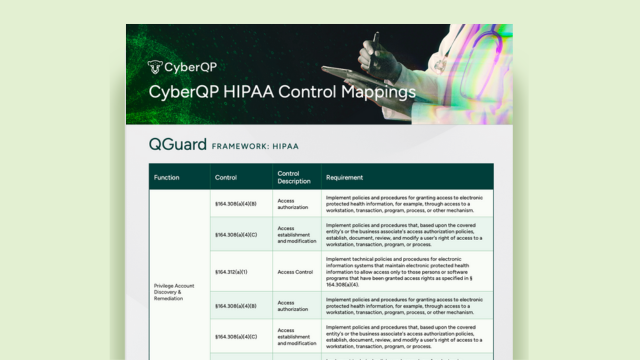
Download the HIPAA Control Mapping and Prove Your Access Controls

Where Access Is Granted, Security Must Be Enforced.

Healthcare breaches don’t start with networks, they start with identity. In hospitals and healthcare environments, every login, password reset, and privilege elevation can put ePHI at risk. This eBook explores how identity-first access controls help IT teams enforce least privilege, verify users at the point of access, and maintain audit-ready compliance with HIPAA requirements.

MSP Incident Insights

How Privileged Access and Identity Controls Map to HIPAA Requirements
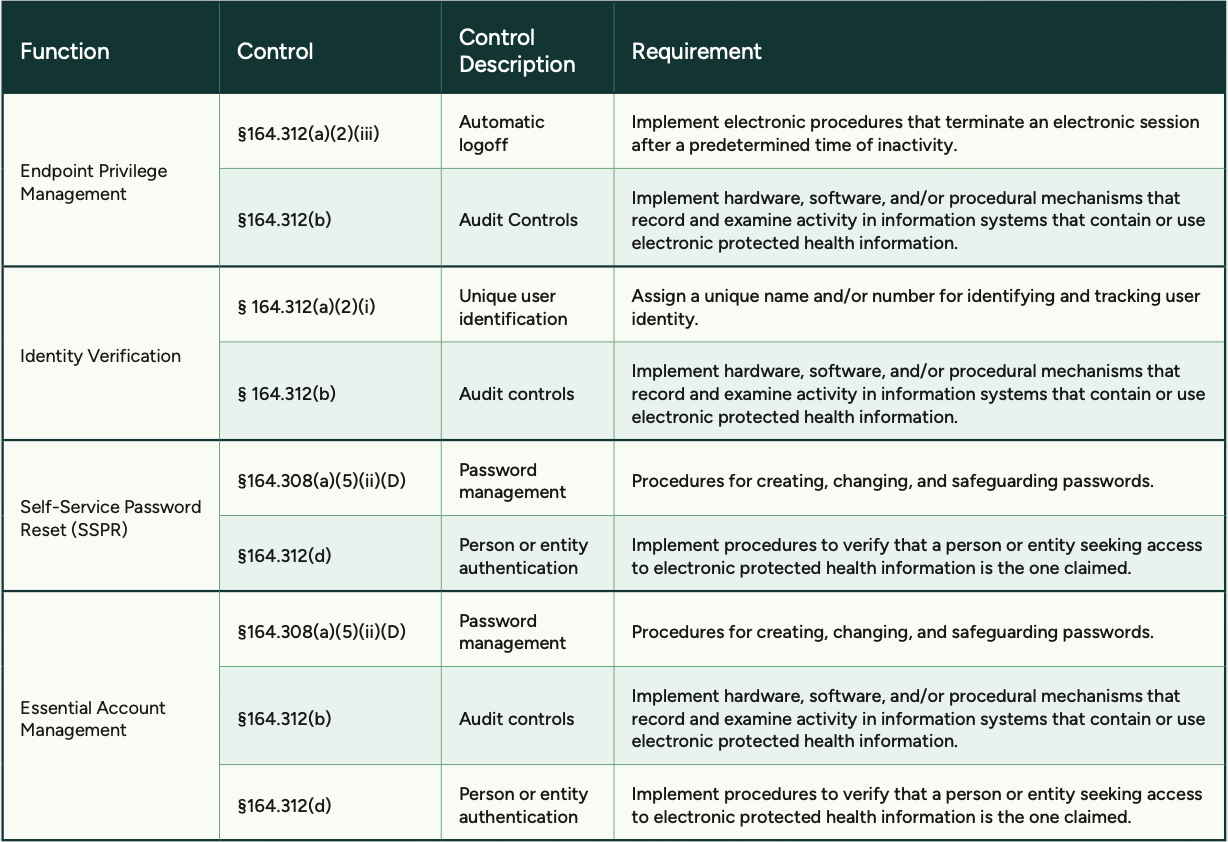
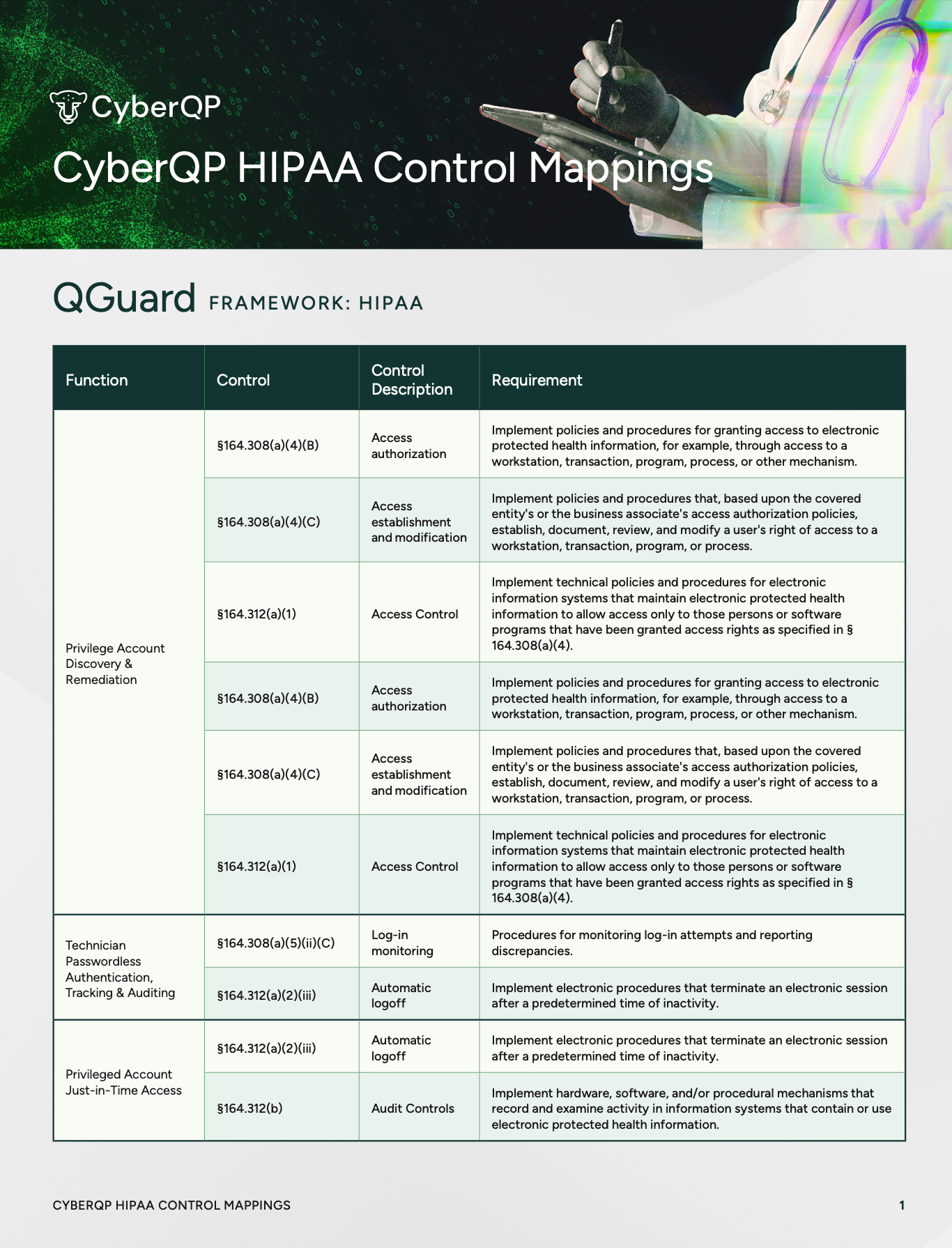
HIPAA compliance isn’t just about implementing security controls, it’s about clearly demonstrating how access to ePHI is governed, verified, and audited. This resource maps HIPAA Security Rule requirements directly to CyberQP capabilities and shows exactly how controls are enforced across healthcare environments.

Instead of relying on assumptions or fragmented documentation, you gain clear, audit-ready visibility into which HIPAA controls CyberQP supports. The result is faster audits and greater confidence when protecting patient data.

How CyberQP Enforces and Audits Privileged Access

Privileged Account Just-in-Time (JIT) Access

Control area: §164.312(b) Audit Controls

CyberQP’s JIT access enforces temporary, context-based privilege elevation so users and technicians don’t retain standing administrative rights. All JIT sessions are logged and auditable, helping satisfy audit control requirements around monitoring and examining system activity.
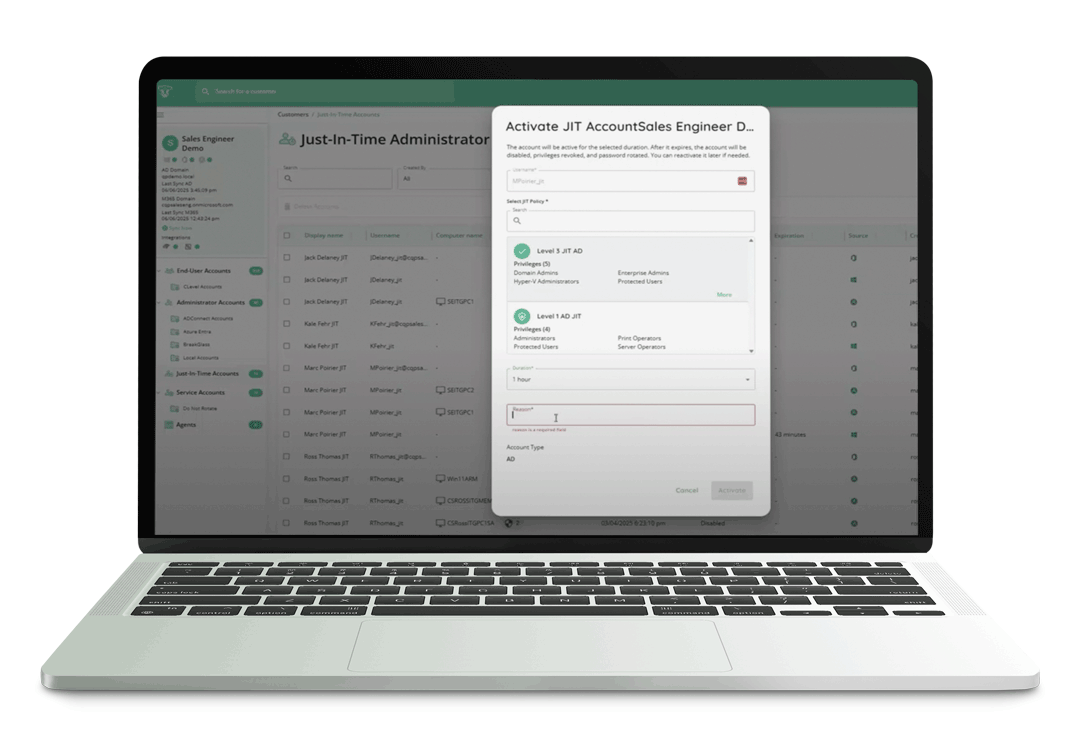
Just in time access

Passwordless MFA for Technicians

Control area: §164.308(a)(5)(ii)(C) Log-in Monitoring, §164.312(a)(2)(iii) Automatic Logoff

CyberQP enables passwordless authentication and session tracking for technicians and privileged users. This improves log-in monitoring and auditing, while automatic session termination and authentication events align with controls around termination of inactive sessions.
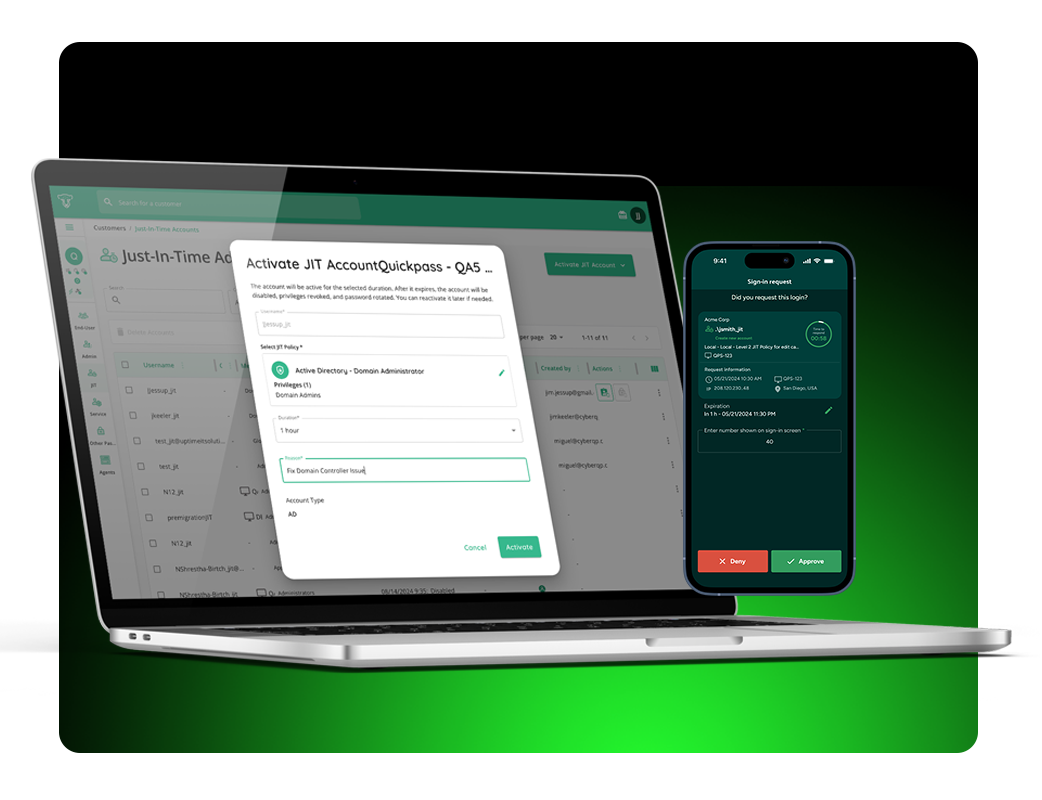
Activate JIT

Self-Service Password Reset (SSPR)

Control area: §164.308(a)(5)(ii)(D) Password Management

CyberQP’s self-service password reset workflows are tied to identity assurance, reducing helpdesk risk, and enabling compliant password lifecycle processes.
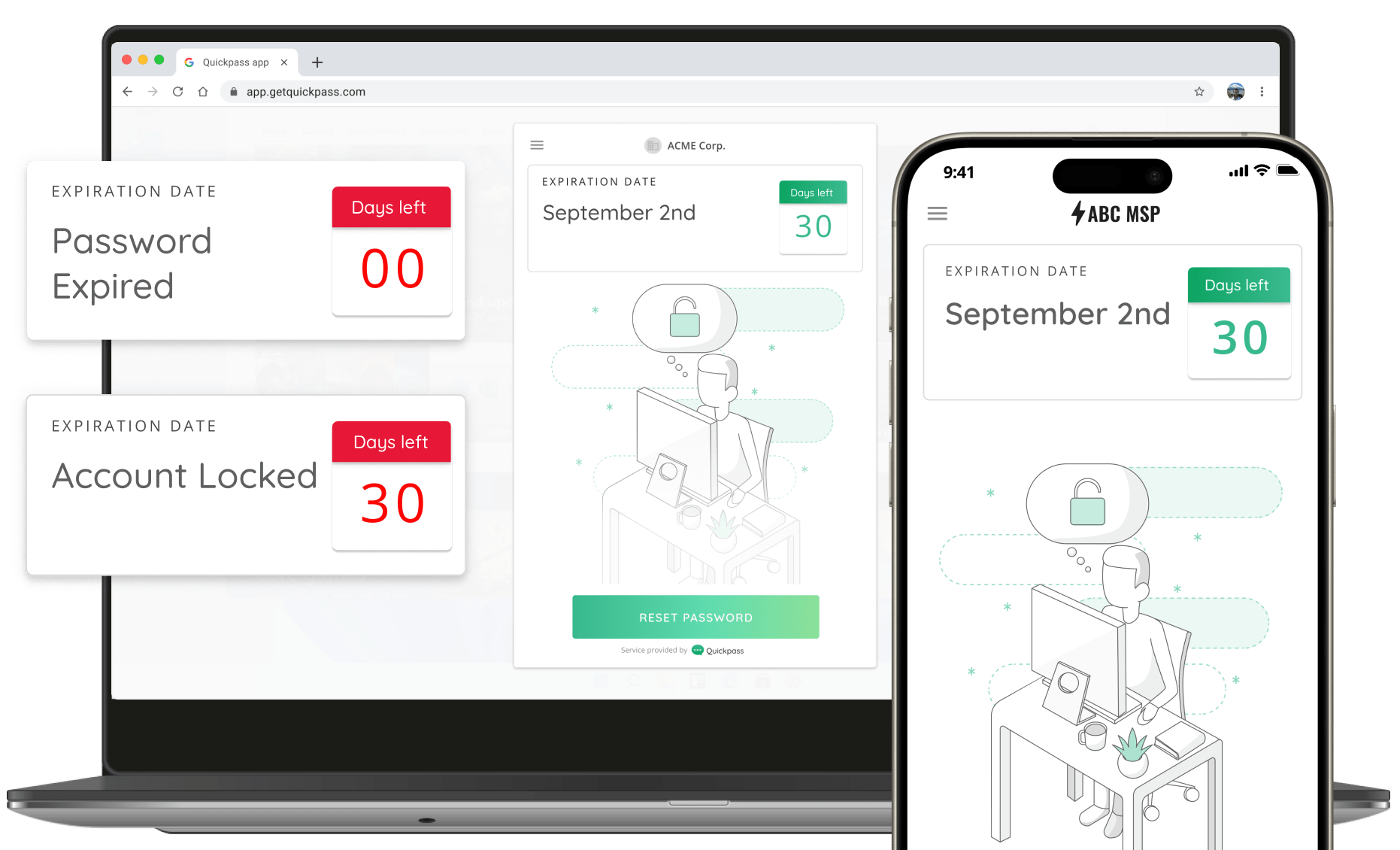
Password notifications

Local Admin & UAC Remediation in Agents | CyberQP Product Release

Local Admin & UAC Remediation in Agents | CyberQP Product Release

Local administrator sprawl remains one of the most persistent risks across endpoint environments. Excessive privileges, inconsistent User Account Control (UAC) settings, and manual remediation workflows make it difficult for IT teams to confidently prepare systems for privileged access controls.

To address this challenge, we’re excited to introduce Local Admin & UAC Remediation, a new capability within CyberQP’s Agents Overview. This feature gives administrators instant visibility into endpoint privilege risk and the tools to remediate it quickly without scripts, RMM dependencies, or multi-step workflows.

Reduce Endpoint Risk Before Privilege Is Granted

Local Admin & UAC Remediation is designed to help teams clean up environments before privileged access elevation is rolled out. By identifying and removing unnecessary admin rights and standardizing UAC configurations, administrators can harden endpoints and eliminate common blockers to Privileged Access Management (PAM) adoption.

All discovery and remediation actions are performed directly within CyberQP, allowing teams to move from insight to action in minutes instead of days.

How Local Admin & UAC Risk Changes with CyberQP

Before CyberQP Remediation

  • Local admin users discovered manually
  • Separate scripts required to identify and remove admin rights
  • Limited visibility into which users or systems are at risk
  • UAC settings inconsistent or misconfigured across devices and customers
  • Time-consuming, error-prone remediation, especially at scale
  • Privileged access rollout delayed due to unprepared environments

After CyberQP Remediation

  • Instant visibility into local admin users per agented system
  • One-click or bulk removal of unnecessary admin privileges
  • Built-in exclusions for break-glass and required admin accounts
  • Centralized view and management of UAC settings
  • Bulk UAC updates across multiple devices in seconds
  • Faster, cleaner readiness for privileged access elevation

The Result: Unnecessary local admin rights significantly increase security risk and create challenges when rolling out privileged access controls. This new remediation workflow allows teams to harden environments quickly, consistently, and at scale—laying the groundwork for successful Privileged Access Management (PAM) adoption even in the most challenging environments. 

When combined with Audit Mode, administrators can confidently identify risk, remediate access, and move forward with elevation policies knowing endpoints are properly prepared and users are not left scrambling.

Trust But Verify: The Identity-First Strategy for Real Zero Trust

Trust But Verify: The Identity-First Strategy for Real Zero Trust

EBOOK

Trust But Verify: The Identity-First Strategy for Real Zero Trust

MSP Incident Insights

Turn Identity Gaps Into Enforced Control.

A Secured End-User Elevation Workflow

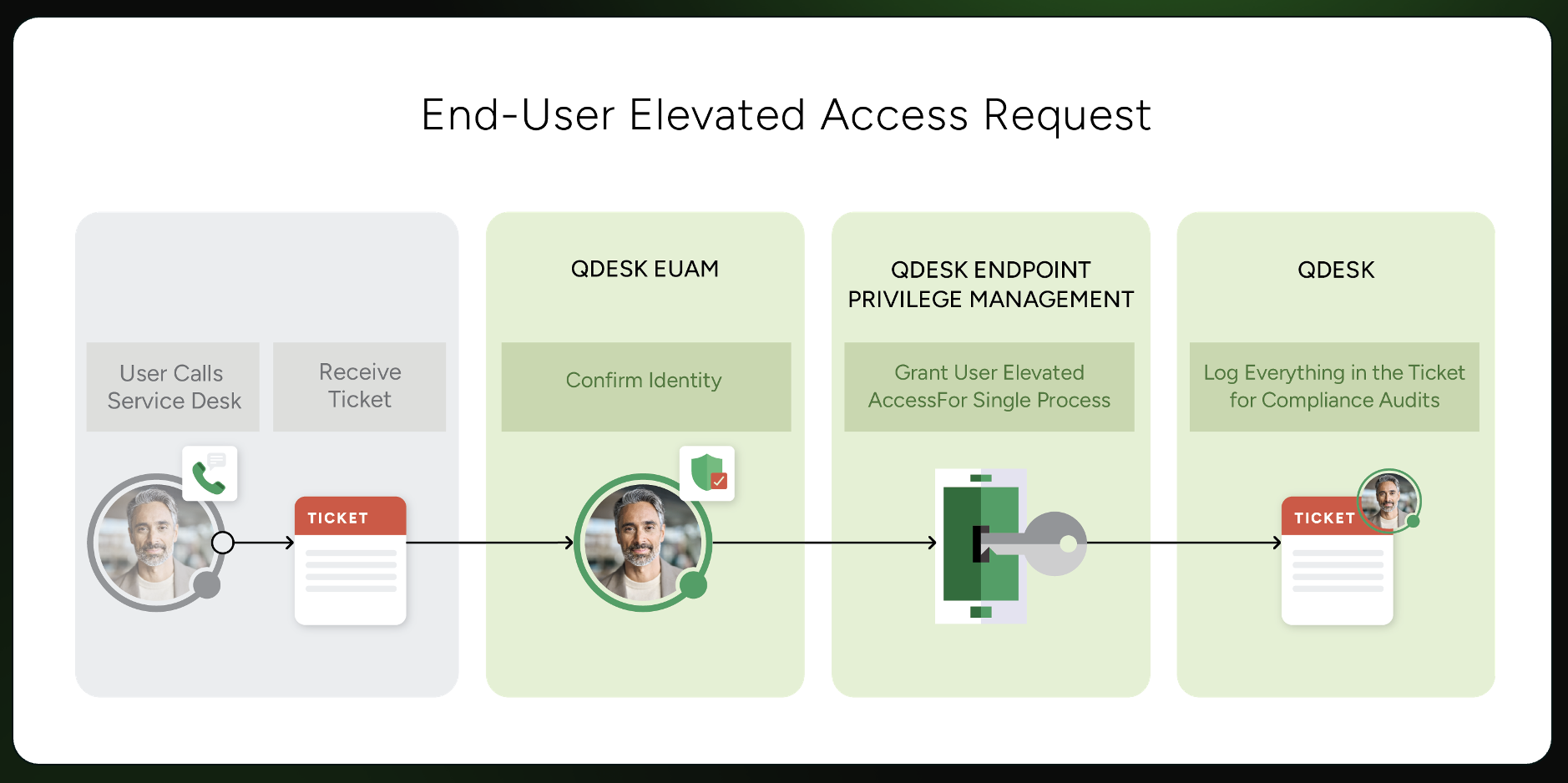
A secure end-user elevation workflow treats privilege as a controlled, identity-verified process, not a standing entitlement. Every elevation request begins with identity confirmation, ensuring the person requesting access is who they claim to be before any privilege is granted. Access is scoped to a single task or time sensitive process, and is automatically revoked when the job is complete. Eliminating persistent admin rights on the endpoint.

Each action is logged and tied back to a verified identity, creating a complete audit trail for compliance investigations and insurance reviews. By enforcing least privilege at the moment access is needed, you can reduce lateral movement risk while maintaining technician efficiency.

The Security Gap Most Organizations Haven’t Closed

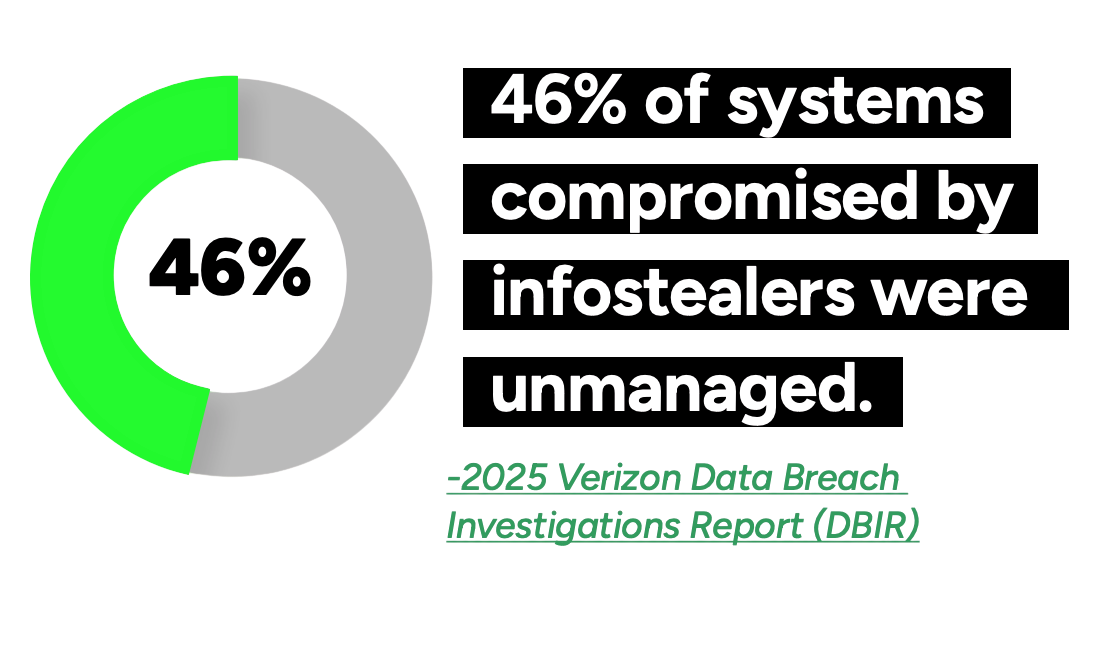
Unmanaged Systems Are the Easiest Way In

Attackers target what organizations can’t see or control. Unmanaged endpoints and accounts create blind spots that bypass security policies entirely. This makes identity-based attacks faster, quieter, and more effective.

MSP Statistics

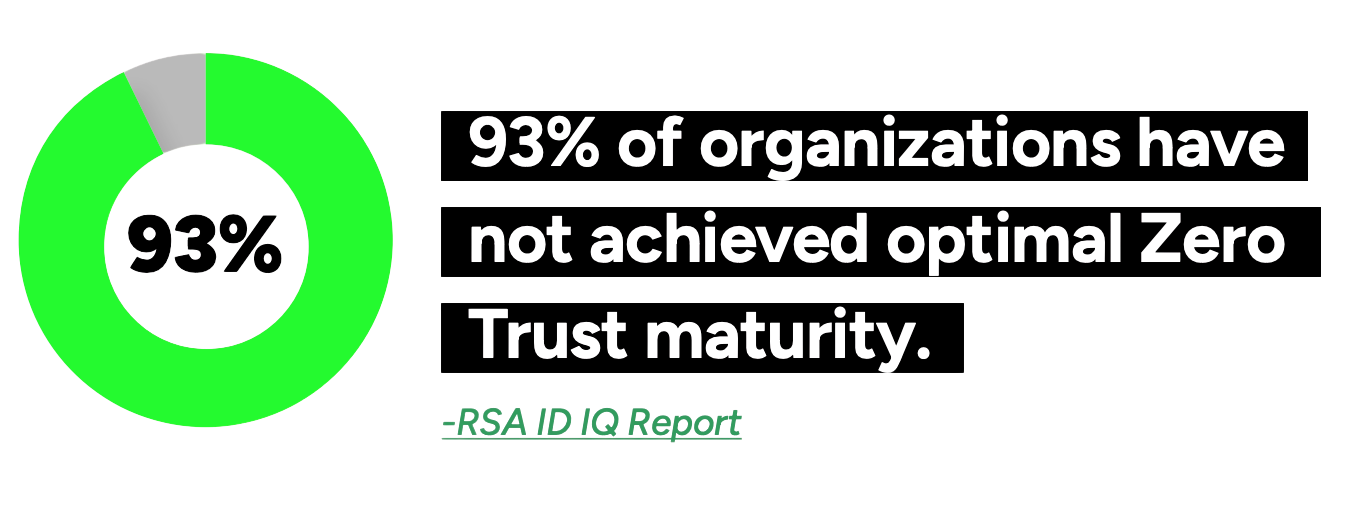
Your Security Maturity Isn’t Where It Should Be

Most organizations believe they’re protected, but gaps in identity governance, access controls, and enforcement tell a different story. Without consistent verification, security frameworks fall short where it matters most: End User Access Management.

MSP Statistics

Real Zero Trust Starts with Identity

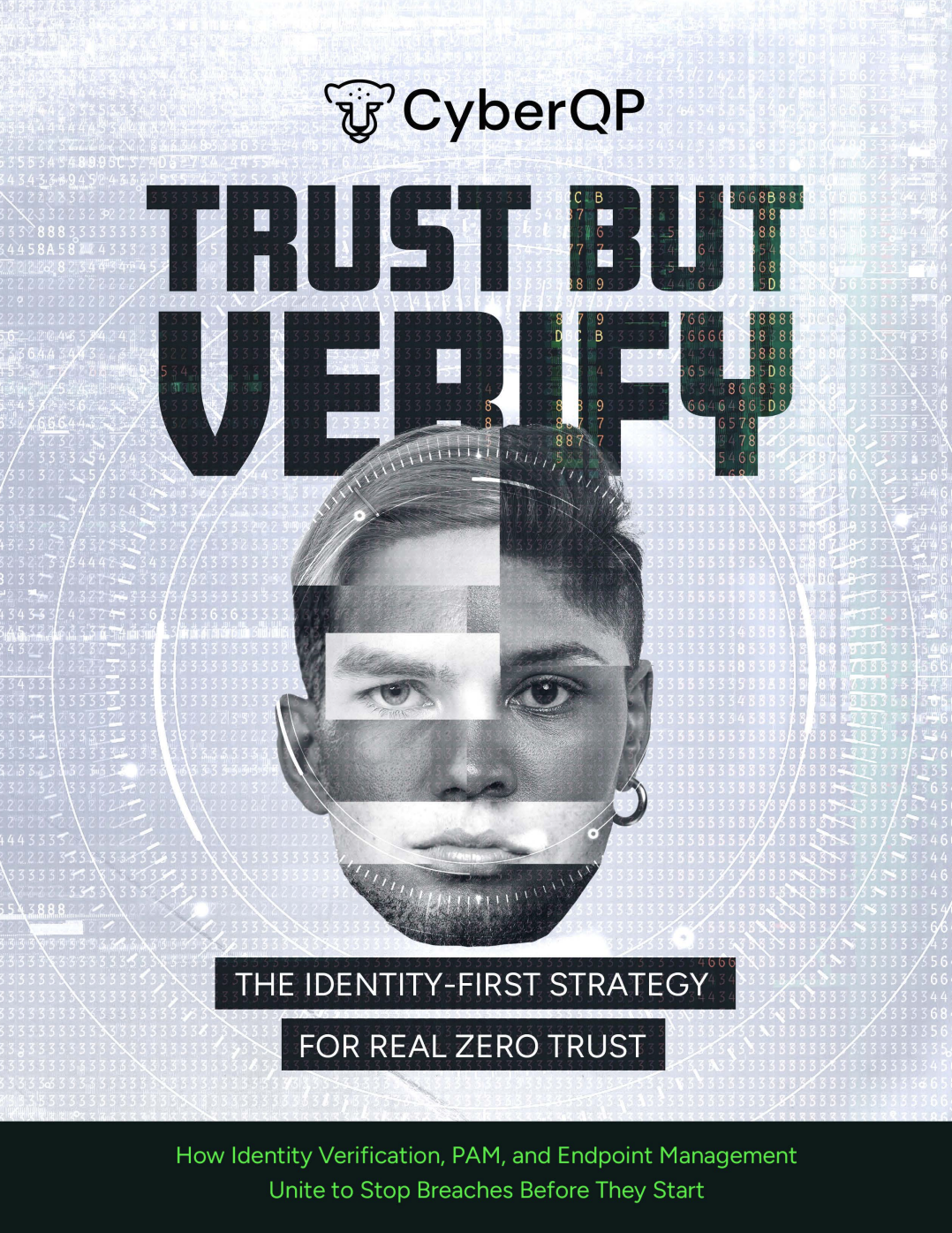
Zero Trust can’t succeed without strong identity controls at the point where access is granted. In this eBook, you’ll learn why identity has become the primary attack surface, and how enforcing verification combined with least privilege at the endpoint changes the security equation. Explore a practical, identity-first approach to Zero Trust that helps IT teams reduce risk.
MSP Incident Insights

Local Admin & UAC Remediation in Agents | CyberQP Product Release

A Smarter, Faster CyberQP Onboarding and Deployment Experience

We are excited to announce a major upgrade to CyberQP onboarding and deployment. This update introduces a Guided Onboarding UI Wizard, a Unified Agent Deployment Page, and a smarter Agent Installer. Together, these improvements reduce setup friction, improve deployment visibility, and help MSPs and Service Desks roll out CyberQP faster across all customer environments.

Guided Onboarding UI for Clear, Structured Setup

The new Guided Onboarding UI provides a clear and consistent experience for both new and existing CyberQP partners.

For first time setup, technicians are guided step by step through adding customers, deploying agents, and configuring core features. Each step includes context around what is being configured and why it matters, helping teams complete setup correctly the first time.

For existing partners, the onboarding UI transitions into a deployment progress tracker. This gives teams real time visibility into customer readiness, feature adoption, and remaining deployment tasks across the entire tenant.

With skippable steps, contextual recommendations, and live progress indicators, technicians can quickly see what is complete, what still requires action, and where to go next.

Unified Agent Deployment Page

To simplify deployments across different environments, CyberQP now includes a Unified Agent Deployment Page that centralizes all supported deployment methods in one place.

From this page, technicians can deploy agents using:

  • Manual installation
  • Scripted deployments
  • RMM based rollouts including Datto, ConnectWise, NinjaOne, N Able, Kaseya, and Intune

Deployment scripts are copy ready and automatically populated with customer specific values. A real time agent detection table updates as systems come online and supports manual assignment when metadata is not available.

This centralized approach reduces time spent searching for instructions and improves consistency across single site and multi customer deployments.

Smarter Agent Installer

The CyberQP Agent Installer has been enhanced to remove common deployment friction. Technicians no longer need to locate install tokens, customer IDs, or custom scripts before installation.

Agents can now be installed by providing a customer name or installed without assignment and linked later through the Agents dashboard. The installer retrieves tenant and customer details automatically through the CyberQP API and can create new customers during install when enabled.

Existing installation workflows using agent IDs remain fully supported. Additional improvements include custom script support, region specific installers, automatic restarts, and intelligent customer matching based on integration company names.

What This Means for CyberQP Partners

This updated onboarding and deployment experience delivers:

  • Faster time to value with fewer prerequisites
  • Reduced friction during initial setup and ongoing deployments
  • Clear visibility into onboarding progress across all customers
  • Consistent deployments across environments and RMM tools
  • A foundation for future automation using modern installer architecture

Get Started

Log in to your CyberQP tenant to explore the new Guided Onboarding UI and Unified Agent Deployment Page. 

For guidance on account organization and deployment structure, review the documentation here: 

 https://support.getquickpass.com/hc/en-us/articles/36981297270423-Move-Account-between-Sections-Change-Account-Type 

If you have questions or need help getting started, reach out to the CyberQP support team to see it in action. 

Stop Privileged Sprawl Before It Spreads

Stop Privileged Sprawl Before It Spreads

Stop Privileged Sprawl Before It Spreads

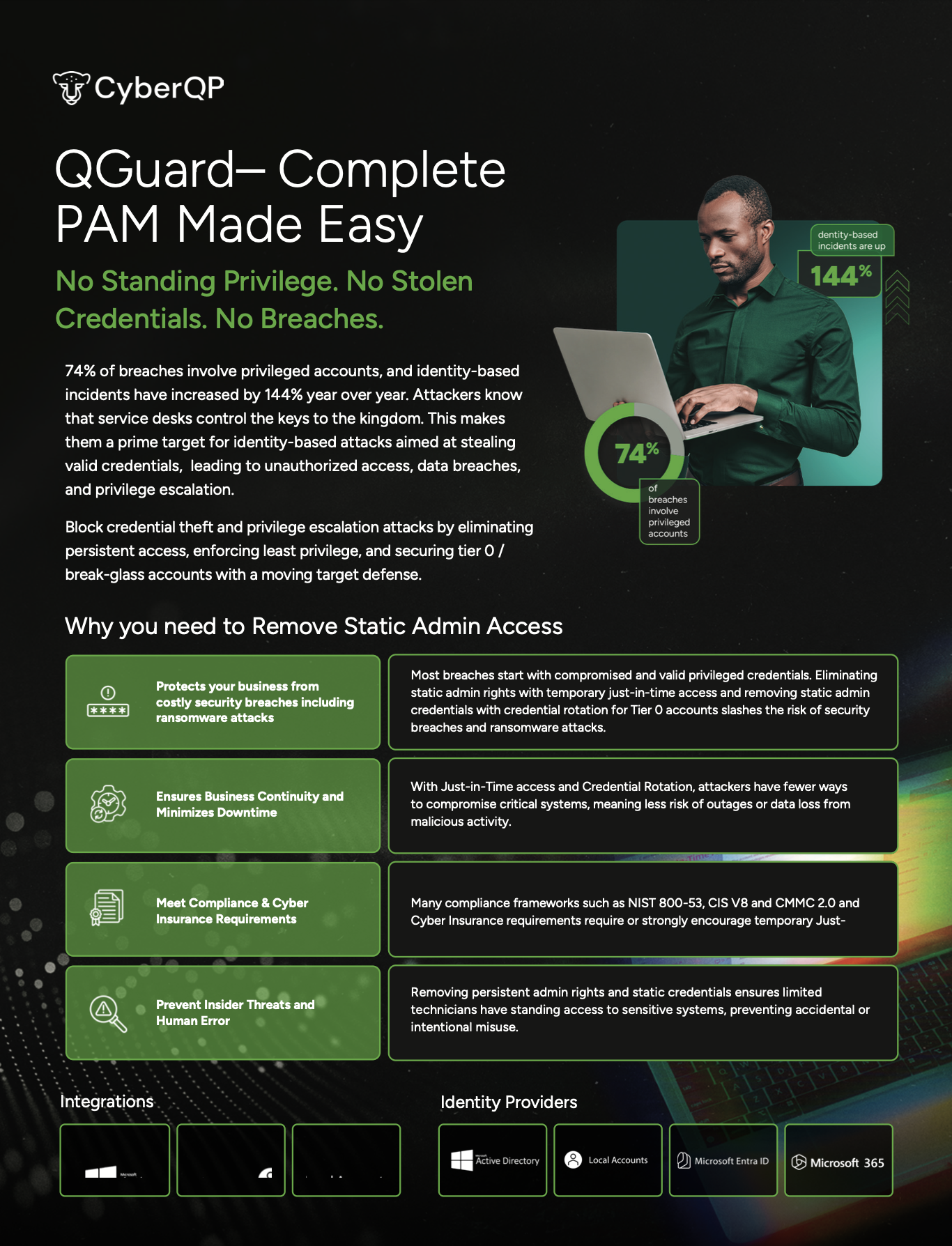
You can’t protect what you can’t see. Discover, audit, and remediate every privileged account before attackers find them.

New Feature: Local Admin & UAC Remediation

Privileged Access You Can’t See Is Privileged Access You Can’t Control. Privileged accounts multiply quickly across servers, endpoints, SaaS apps, and legacy systems. Over time, you’re left with:
  • Unknown and unused admin accounts
  • Orphaned accounts from past employees or contractors
  • Over-provisioned access nobody remembers granting
Attackers love this chaos. One forgotten account is all it takes for credential theft, lateral movement, and data loss.


Just in time accounts

Privileged Remediation in Action

Understanding the risks is one thing, seeing how quickly you can remediate them is another. In this walkthrough, we show how QGuard identifies excessive local admin rights and unsafe UAC settings, then guides you through fixing them without slowing down operations.

Reduce Endpoint Risk Before Privileged Access Is Granted

See Local Admin Risk Instantly

Get immediate visibility into who has local administrator rights on every agented system. Identify unnecessary or forgotten admin access without running scripts or digging through RMM workflows, so you know exactly where risk exists before attackers do.

Remediate Safely at Scale

Remove excess local admin rights individually or in bulk while excluding required accounts like break-glass users. Update User Account Control (UAC) settings across one device or hundreds at once all from CyberQP.

Prepare Endpoints for PAM Success

Unnecessary admin access and misaligned UAC settings can stall privileged access rollouts. By cleaning up endpoints first, teams can confidently move forward with elevation policies, reduce friction for users, and ensure PAM works as intended from day one.

Just in time access

Automated Privileged Account Discovery & Remediation.

QGuard automatically discovers every privileged account across your environment: local admins, domain admins, service accounts, and shadow identities. We then give you clear visibility into what’s unknown. With fast risk auditing and guided remediation, you can right-size privileges, remove toxic access, and safely clean up inherited accounts from M&A without disrupting the business.


FAQs

Will QGuard disrupt production systems?

QGuard is designed for safe discovery and controlled remediation so you can phase changes in without outages.

Can QGuard help with newly acquired companies?

Yes. QGuard gives you visibility into inherited privileged accounts so you can quickly align access with your standards.

How long does it take to get value?
Most teams see high-risk accounts and easy wins in their first scan.

Book a Live QGuard Demo

See how CyberQP QGuard discovers and remediates privileged accounts across your environment, without weeks of manual effort.