
PAM & Identity Security Buyer’s Guide
The Buyer’s Guide to Privileged Access & Identity Security
Most security demos are built to impress, not to work in real environments. This guide helps you evaluate privileged access and identity security tools based on real risk, real workflows, and the questions vendors hope you don’t ask. Use it to cut through the noise and choose a solution that actually reduces breach exposure across your helpdesk, endpoints, and users.
Access the Guide
The Real Problem You’re Trying to Solve
Achieving Zero Standing and Least Privilege
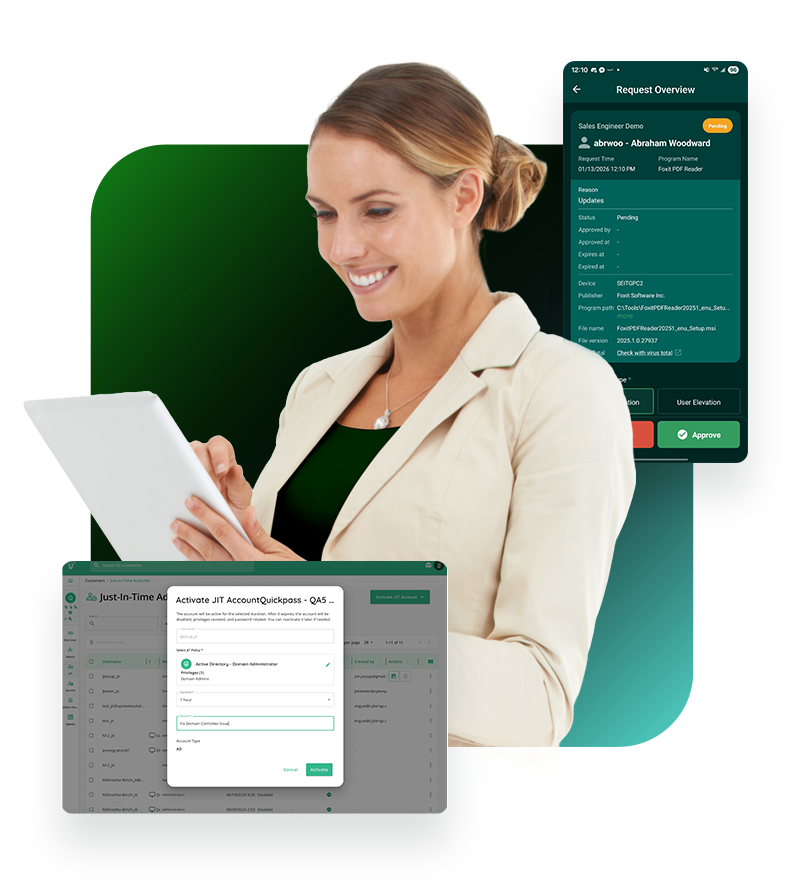
Our PAM offering removes standing admin rights and replaces them with just-in-time, time-bound elevation for both technicians and end users. Access is granted only for the specific task or session needed, then automatically revoked, eliminating privilege creep and reducing the blast radius if an account is compromised.
Eliminating Unauthorized Access
We close the gaps attackers exploit by enforcing identity verification before any password reset, elevation, or access approval occurs. By embedding verification directly into helpdesk and endpoint workflows, IT teams prevent impersonation, social engineering, and unauthorized privilege requests before they ever become a risk.
Meeting Compliance and Cyber Insurance Requirements
Every access request, approval, verification, and elevation is automatically logged and tied to a verified identity. This gives IT and security teams exportable audit trails that prove least privilege enforcement, identity assurance, and access control for frameworks like SOC 2, HIPAA, NIST, and for cyber insurance evidence requirements.

The Hidden Risks You Might Be Ignoring
Hidden Risk
Why It Matters

Standing admin access
Creates persistent pathways for lateral movement—even after offboarding.
Weak Offboarding
Disables email but leaves access rights in AD, SaaS, or cloud systems.
Shared Credentials
Prevents accountability and makes audit trails meaningless.

Orphaned Accounts
Common after M&A, terminations, or contractor churn. Easy entry point for attackers.

Over-Permissioned Service Accounts
Often excluded from audits but capable of high-impact actions.
partner stories
See Why Our Parters Trust CyberQP
Discover how help desks using CyberQP are securing their identity-based attack surfaces, eliminating standing privileges, and staying ahead of evolving threats. Experience the confidence that comes with a Zero Trust approach.